Track Competitor with Raven
Written By Yuri P.
Adding a brand to Raven tracks every ad it launches on Meta’s platforms 24/7 and keeps a complete historical record. Here’s how to add one to your Watchlist.
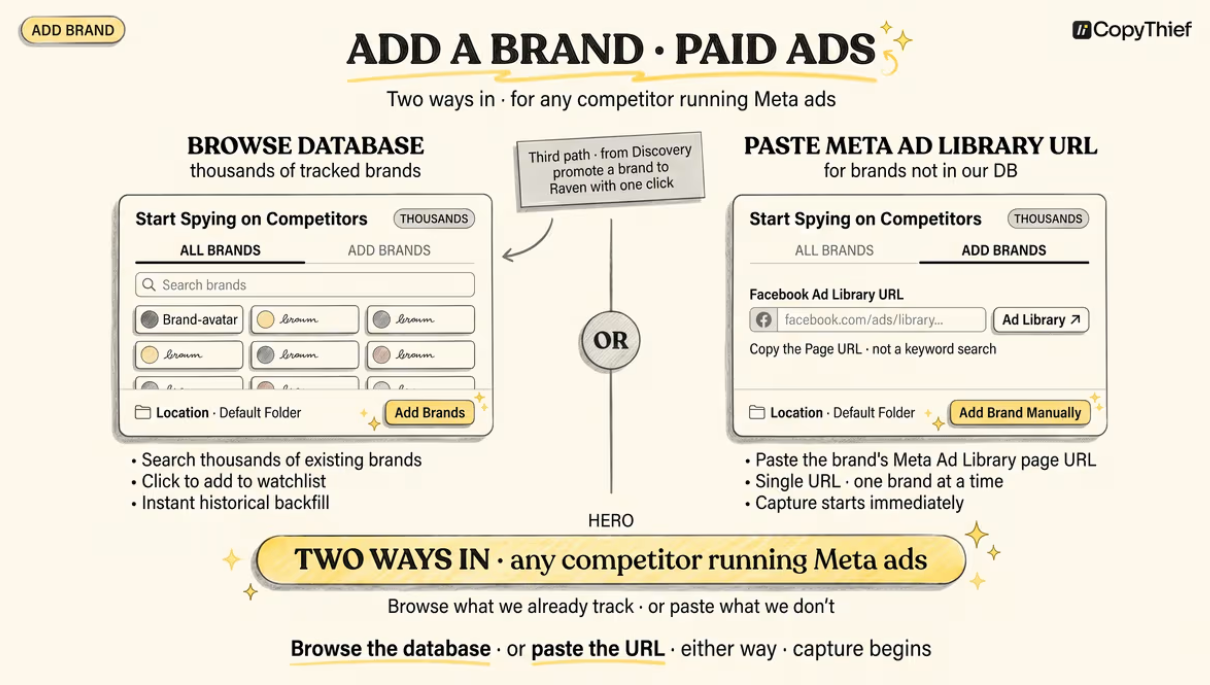
Open the Add Brand window
On the Raven Watchlist, make sure you’re on the Paid Traffic tab, then click the yellow Add Brand button in the top-right corner. This opens the “Start Spying on Competitors” window, which has two tabs: All Brands and Add Brands.
Option 1: All Brands (browse the database)
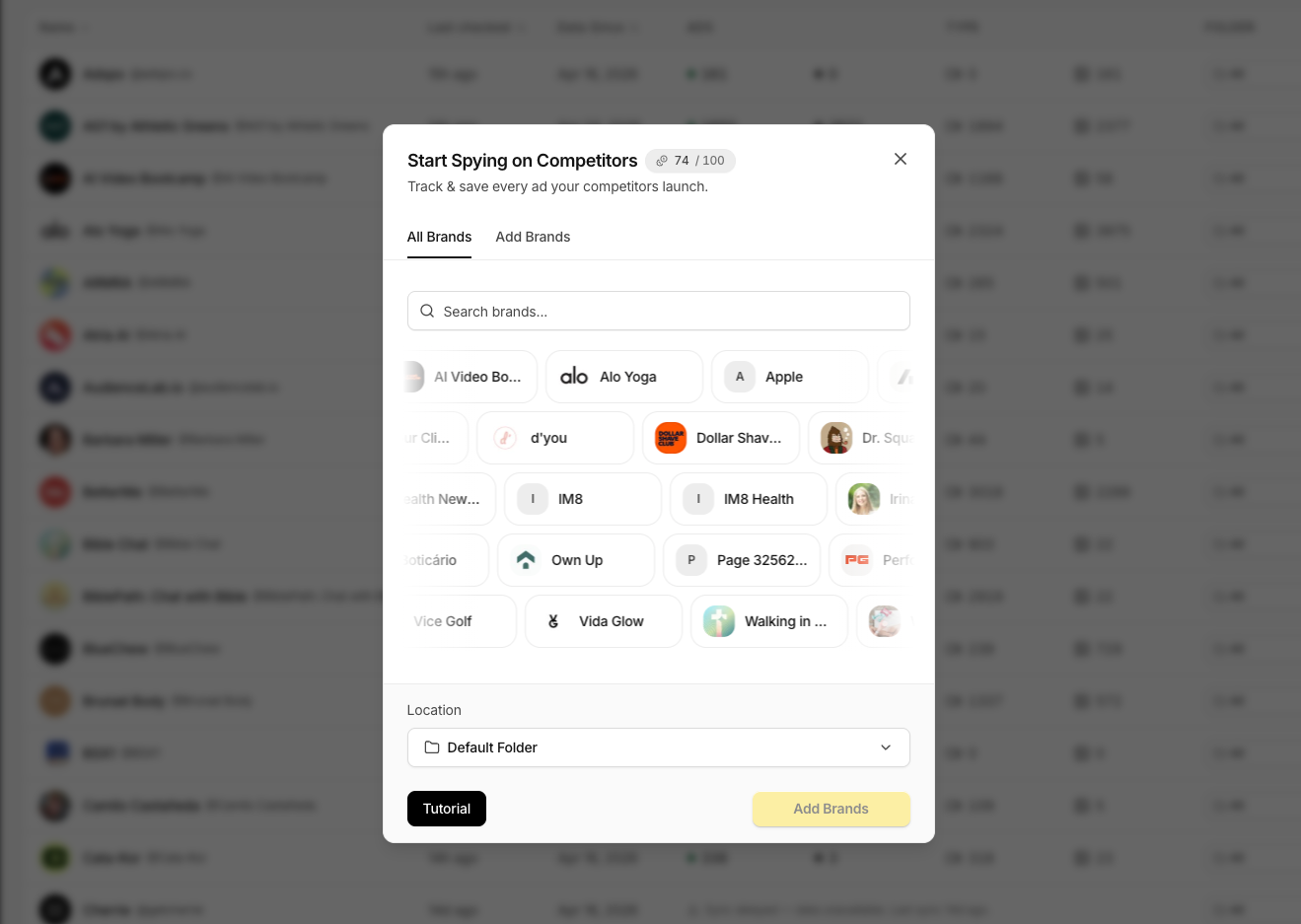
On the All Brands tab, search or scroll the existing Raven database.
Click any brand to select it.
Choose a folder with the Location selector at the bottom.
Click Add Brands to confirm.
If the brand is already in the database, you instantly inherit its historical data — for many brands that goes back as far as 2023.
Option 2: Add Brands (track a new one)
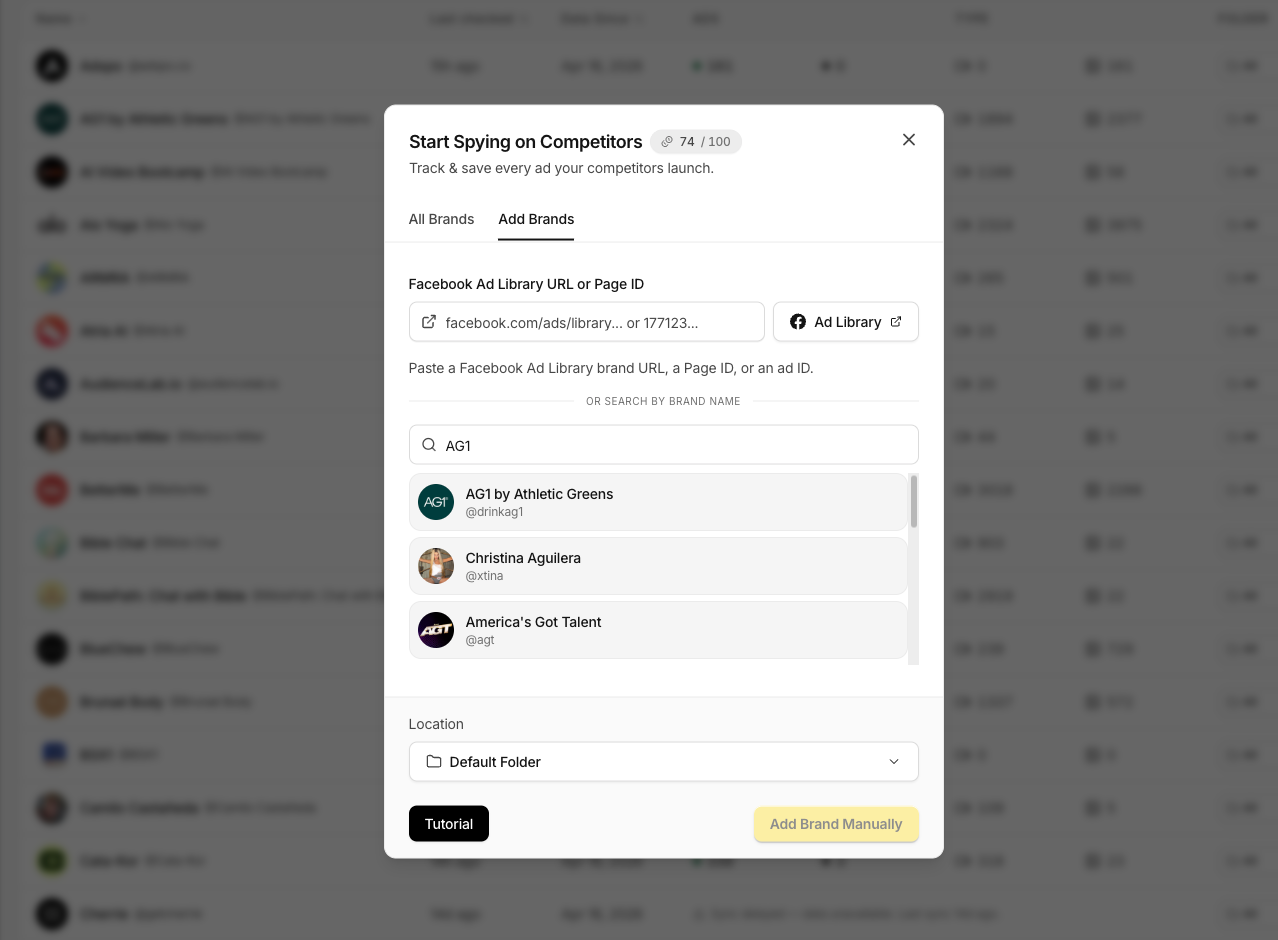
If the brand isn’t in the database yet, switch to the Add Brands tab. You can:
Paste the brand’s Facebook Ad Library URL, its Page ID, or an ad ID into the field, or
Search by brand name instead.
Pick a folder with the Location selector, then click Add Brand Manually. There’s also a quick Ad Library shortcut button if you need to grab the URL first.
What happens after you add a brand
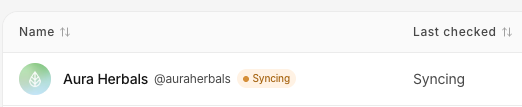
Raven immediately pulls the brand’s active ads to set a baseline, then checks twice a day for anything new.
Manually added brands start collecting right away, it can take about 5–10 minutes for all currently active ads to load in.
New launches show up automatically on the brand’s Watchlist row and inside its Ad Library.
Removing a brand
To stop tracking a brand, open its row’s menu and remove it.
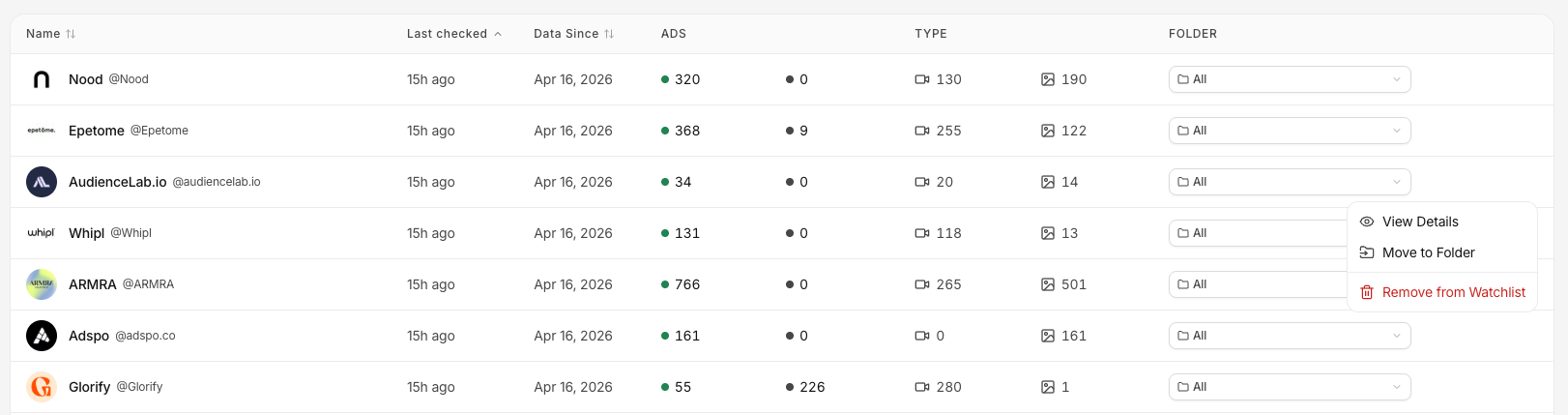
This frees up a slot on your plan (shown by the slot counter in the top bar).
Removing a brand stops new ads from being collected, but you can re-add it later and inherit history again.
FAQ
What if a brand doesn’t run Meta ads?
Raven’s Paid Traffic tracking only works for brands advertising on Meta’s platforms.
If you want to follow a TikTok or Instagram creator instead, use the Organic Traffic tab.
How quickly will I see results?
You see a baseline of active ads almost immediately, and new launches start appearing at the next twice-daily check.