Commenting
Written By Yuri P.
Swipes is collaborative by default
Tag a teammate, leave context, drop hook variations directly on the reference ad. Stop emailing Loom links.
How to comment
Open the ad drawer
Scroll to the Comments section (bottom of the drawer)
Type your comment - use Commenting
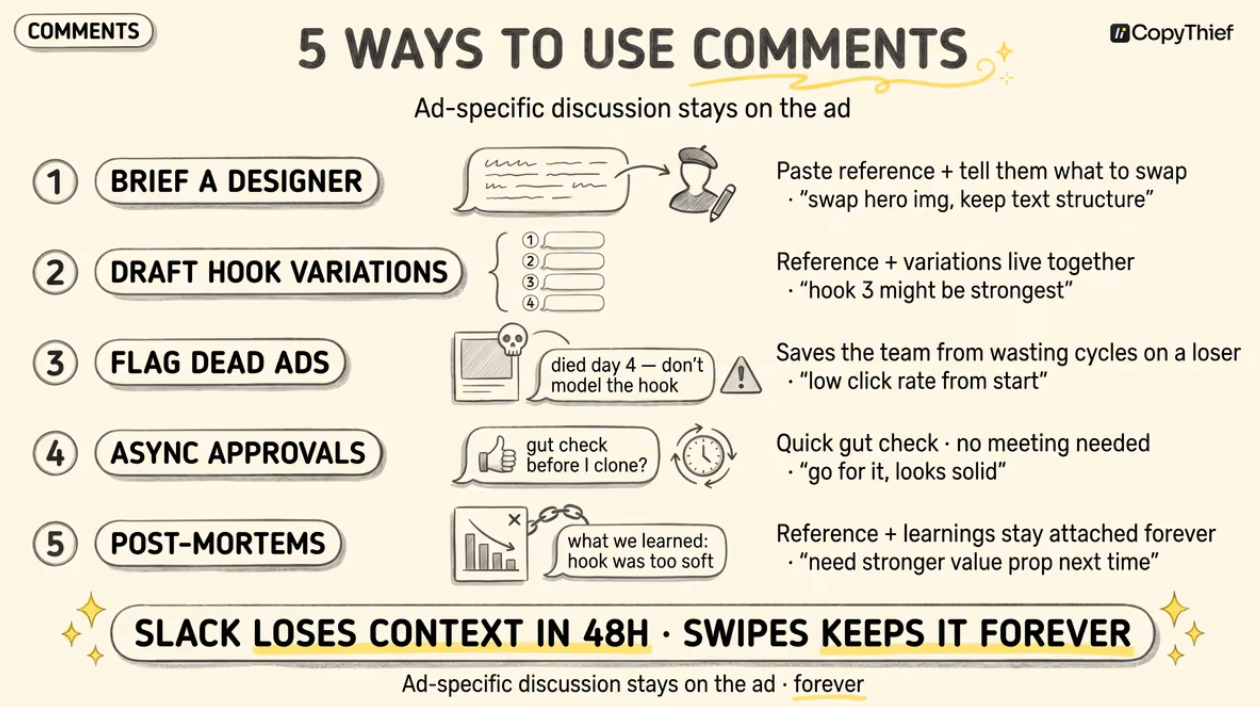
What to actually use it for
Brief a designer inline - paste the reference, comment:
“do this but for our offer, swap CTA to X, replace the founder shot with our product hero”Draft hook variations - Write 5 hooks in the comment thread so the reference + your variations live in one place. Lab can pull from this.
Flag dead ads - “this one died at day 4, don’t model the hook”
So the team doesn’t waste cycles on a loser- Async approval - “@yuri quick gut check before I clone this for our account”
Post-mortem - when a test fails, comment on the reference:
“tested similar hook → CPA 3x our target, killed at $200 spend”
Move the ad-related conversation out of Slack and into Swipes. Slack loses the context in 48 hours. Swipes keeps it forever, attached to the reference.
FAQ
Can I add comments to boards (not just ads)?
Not yet. Comments are per-ad. Board-level discussion happens in Slack or wherever your team discusses strategy.
Can I delete a comment?
Yes - hover over your comment → Click the (trash) Icon → Delete.
You can only delete your own comments.
Can I edit a comment after posting?
Not yet. But Soon!
Does the recipient need a CopyThief account to see comments on a shared board?
No. Comments display on public shared boards. The recipient just can’t reply unless they have an account.